Start Button Menu
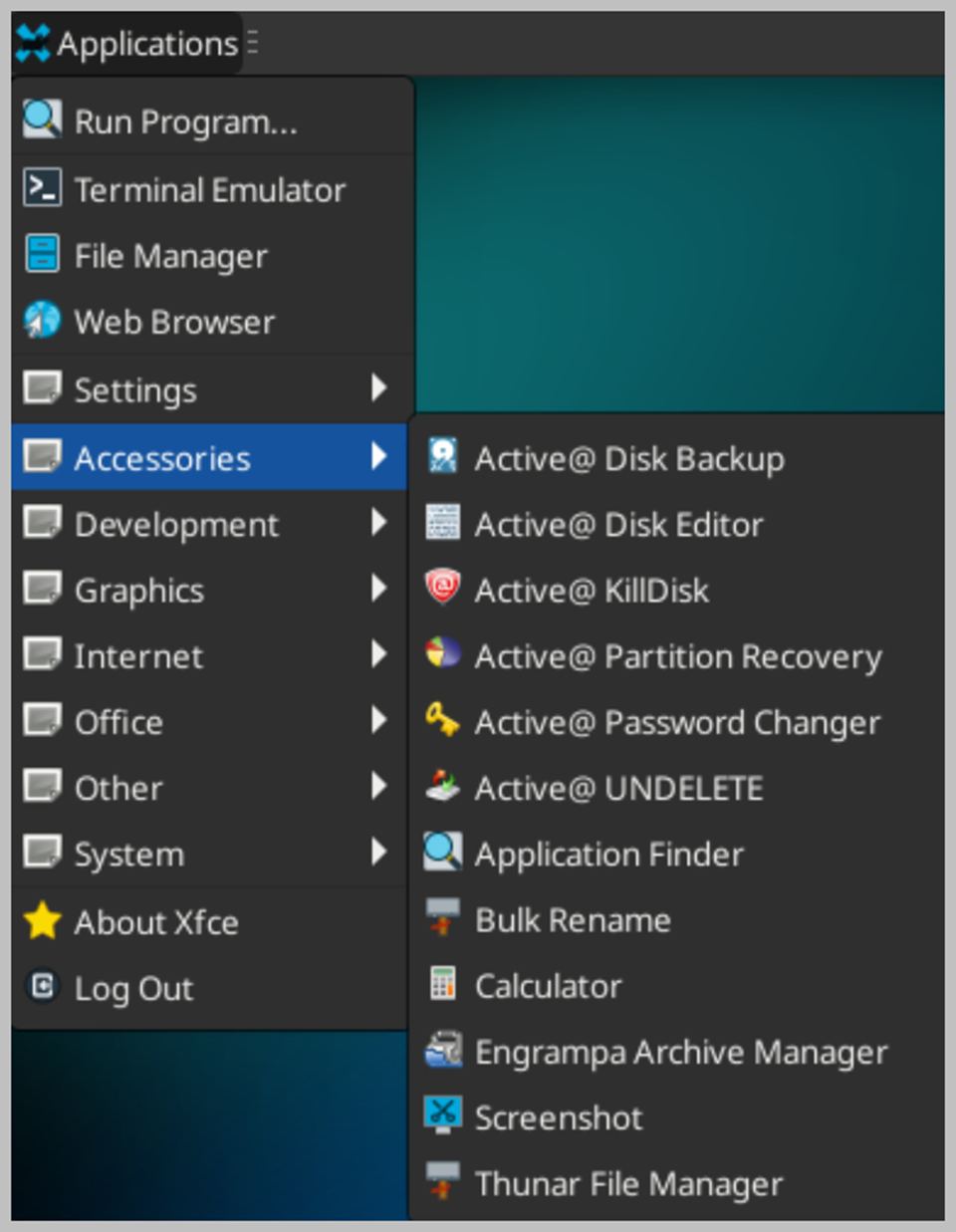
The Active@ LiveCD Start button is the central launching point for applications, utilities, and support documentation. To access an application or utility, click the Start button. A menu appears with shortcuts to applications, utilities, and documentation organized under the following categories:
-
Accessories — A collection of data backup, data recovery, and data security programs that allow you to:
- Active@ Disk Backup - Back up or restore physical and logical hard drives, including folders, data files, and installed applications.
- Active@ Partition Recovery - Recover data from deleted or damaged partitions on attached or external drives, portable drives, and memory cards.
- Active@ UNDELETE - Recover data from damaged or deleted files or folders.
- Active@ Password Changer - Reset passwords and user accounts on your Windows system.
- Active@ Disk Editor - View and edit disk sector contents in raw format, and apply colored templates for specific disk structures (MBR, boot sector, MFT, and others).
- Active@ KillDisk - Securely erase data from hard drives in a way that makes it impossible to restore.
- Wipe data from unused clusters on a regular basis to make deleted files or temporary data unavailable to unauthorized parties.
- Monitor the reliability status of local hard drives to help prevent data loss due to drive failure.
Also included in this category: Application Finder for quickly locating and launching installed applications; Bulk Rename for batch renaming files and folders; Calculator — a scientific calculator supporting standard, scientific, and financial calculation modes; Engrampa Archive Manager for creating and extracting archives in TAR, GZ, ZIP, and other formats; Screenshot — a screen capture program for saving the current display content to an image file; and Thunar File Manager for managing files and folders on local and network-attached drives.
-
Documentation — PDF documents covering all applications included with Active@ LiveCD.
-
Settings - Contains system configuration tools and utilities:
- System Configuration utilities.
- YaST Date and Time — Set the system date, time, and time zone.
- YaST Hostnames — Configure the system hostname and domain name.
- YaST Language — Set the system language and regional settings.
- YaST Network — Configure network interfaces, connections, and routing.
- YaST NTP Configurator — Set up and manage Network Time Protocol synchronization.
- YaST Partitioner — Advanced disk and partition management tool.
- YaST Proxy — Configure proxy server settings for network connections.
- YaST Remote Administration — Enable and configure remote desktop and administration access.
-
Development - Meld — a visual diff and merge tool for comparing files and folders bit by bit to identify and resolve differences.
-
Graphics — Gwenview — a fast and easy-to-use image viewer capable of previewing and editing most common image formats, including JPG, PNG, GIF, TIFF, and BMP.
-
Internet — SeaMonkey Web Browser for browsing the internet, reading RSS feeds, and downloading packages. SeaMonkey Composer for creating and editing web pages with a visual HTML editor. SeaMonkey Mail client for configuring email accounts and sending and receiving emails. Remmina Remote Desktop Client for connecting to and managing remote hosts using RDP, SSH, and VNC protocols.
-
Office — qpdfview — a tabbed document viewer for opening and reading PDF, PostScript, and DjVu files.
-
System — A collection of system administration and management tools, including:
- Bulk Rename — for batch renaming files and folders using customizable patterns and rules.
- ClamTk Virus Scanner — for downloading the latest virus definitions and scanning local disks for malware, with the option to quarantine infected files.
- GParted Partition Editor — for displaying, creating, resizing, and editing local disk partitions.
- GSmartControl — for monitoring hard disk and SSD health, temperature, and SMART attributes.
- KDE Partition Manager — an alternative partition management tool for displaying, creating, and editing local disk partitions.
- Midnight Commander — a dual-panel file manager with advanced file management and navigation features.
- System Log — for viewing and monitoring system event logs and diagnostic messages.
- System Monitor — displays real-time system information including running processes, CPU, memory, and network usage.
- Thunar File Manager — for managing files and folders on local and network-attached drives.
- VeraCrypt — for creating, attaching, and managing encrypted volumes stored in files, or for encrypting entire partitions.
- Xfce Terminal — a lightweight command-line terminal emulator for executing system commands and scripts.
- YaST Utilities.