GSmartControl
GSmartControl is a powerful and user-friendly graphical interface for the smartmontools utility, designed for querying, monitoring, and analyzing SMART (Self-Monitoring, Analysis, and Reporting Technology) data on hard disk drives and solid-state drives. Within the Active@ LiveCD environment, GSmartControl serves as the primary tool for assessing the health and reliability of storage devices, providing detailed diagnostic information that can help identify failing or at-risk drives before data loss occurs, and supporting informed decisions about whether a drive is safe to use for data recovery or backup operations.
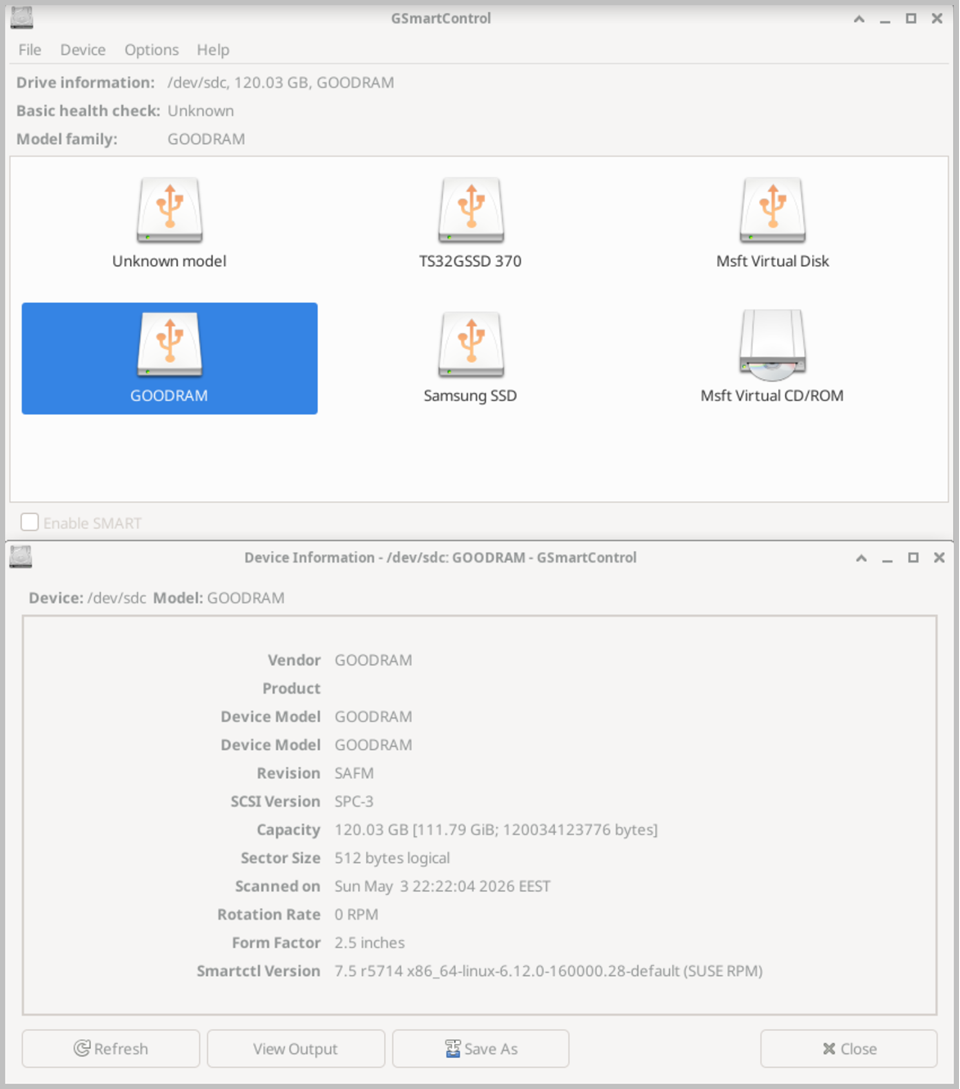
The main interface displays a list of all detected storage devices, including internal hard drives, solid-state drives, and externally connected USB storage devices. Each device is shown with a basic health status indicator that provides an immediate at-a-glance assessment of its current condition based on the SMART data reported by the drive firmware. Devices that have reported critical errors or attribute threshold violations are clearly flagged, allowing you to quickly identify drives that may be at risk of imminent failure.
Clicking on any device in the list opens a detailed information window containing several tabs of comprehensive diagnostic data. The Identity tab displays general device information such as the manufacturer, model number, firmware version, serial number, and total capacity. The SMART Attributes tab provides a complete table of all SMART attributes reported by the drive, including raw values, normalized values, worst-case values recorded over the drive's lifetime, and the threshold below which each attribute is considered to indicate a failure condition. Key attributes such as Reallocated Sector Count, Pending Sector Count, Uncorrectable Sector Count, Power-On Hours, and Drive Temperature are particularly important indicators of drive health and should be carefully reviewed when assessing a potentially failing drive.
GSmartControl supports running a range of built-in diagnostic tests directly on the selected drive to assess its physical condition and data integrity. The Short Self-Test performs a rapid check of the most critical drive components and typically completes within a few minutes, providing a quick initial assessment of drive health. The Extended Self-Test performs a comprehensive scan of the entire drive surface and all internal components, taking significantly longer to complete but providing a much more thorough evaluation of the drive's condition. The Conveyance Self-Test is designed to detect damage that may have occurred during transportation or handling of the drive. Test results are recorded in the drive's internal SMART log and displayed within GSmartControl upon completion, clearly indicating whether the drive passed or failed each test.
The Error Log tab displays a history of all errors recorded by the drive's internal SMART error logging mechanism, including the type of error, the affected sector or command, and the timestamp of each occurrence. Reviewing the error log is an essential step when evaluating a potentially damaged or failing drive, as recurring errors in specific sectors or command types can indicate developing hardware problems that may not yet be reflected in the SMART attribute values. The Self-Test Log tab similarly records the results of all previously performed self-tests, providing a historical record of the drive's diagnostic test outcomes over time. When running Active@ LiveCD from a USB drive, GSmartControl preferences are preserved between sessions.