Configuration
Settings ManagerSettings Manager provides centralized access to all system configuration options and serves as the main entry point for the following settings:
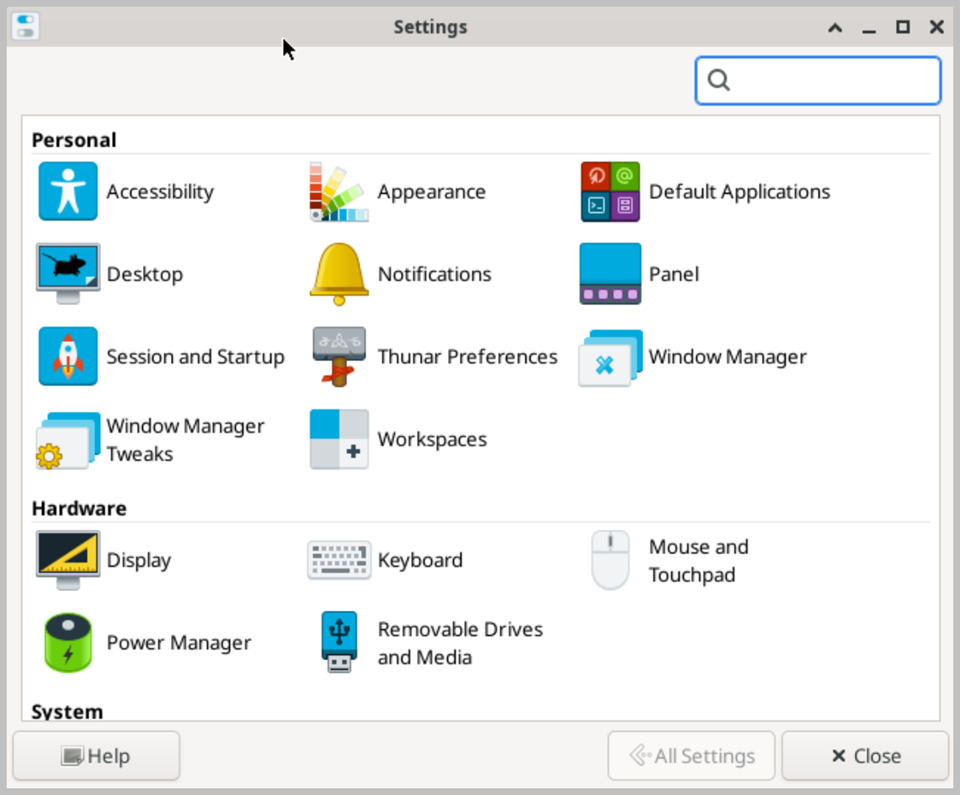
- Accessibility — Configure assistive technologies and accessibility features for users with special needs.
- Appearance — Customize the desktop theme, icon set, fonts, and color scheme.
- Default Applications — Set the default applications for web browsing, email, file management, and other common tasks.
- Desktop — Configure desktop background, icons, and behavior.
- Display — Manage monitor resolution, refresh rate, and multi-display settings.
- Keyboard — Configure keyboard layout, shortcuts, and input settings.
- Mouse and Touchpad — Adjust pointer speed, button configuration, and touchpad behavior.
- Notifications — Configure system notification appearance and behavior.
- Panel — Customize the taskbar panel layout, position, and applets.
- Power Manager — Configure power saving settings, sleep modes, and battery behavior.
- Removable Drives and Media — Define how removable storage devices and media are handled when connected.
- Session and Startup — Manage startup applications and session save/restore settings.
- System Log — View and monitor system event logs and messages.
- Thunar Preferences — Configure file manager behavior, bookmarks, and view settings.
- Window Manager — Set window decoration, focus behavior, and keyboard shortcuts.
- Window Manager Tweaks — Configure advanced window manager options and compositing effects.
- Workspaces — Manage the number and layout of virtual desktops.