System Monitor
GNOME System Monitor is a straightforward and informative system monitoring utility that provides real-time visibility into the current state of system resources, running processes, and network activity. Within the Active@ LiveCD environment, it serves as an essential tool for tracking resource consumption during disk operations, identifying processes that may be interfering with data recovery or erasure tasks, and ensuring that the system has sufficient available memory and processing capacity to complete demanding operations successfully.
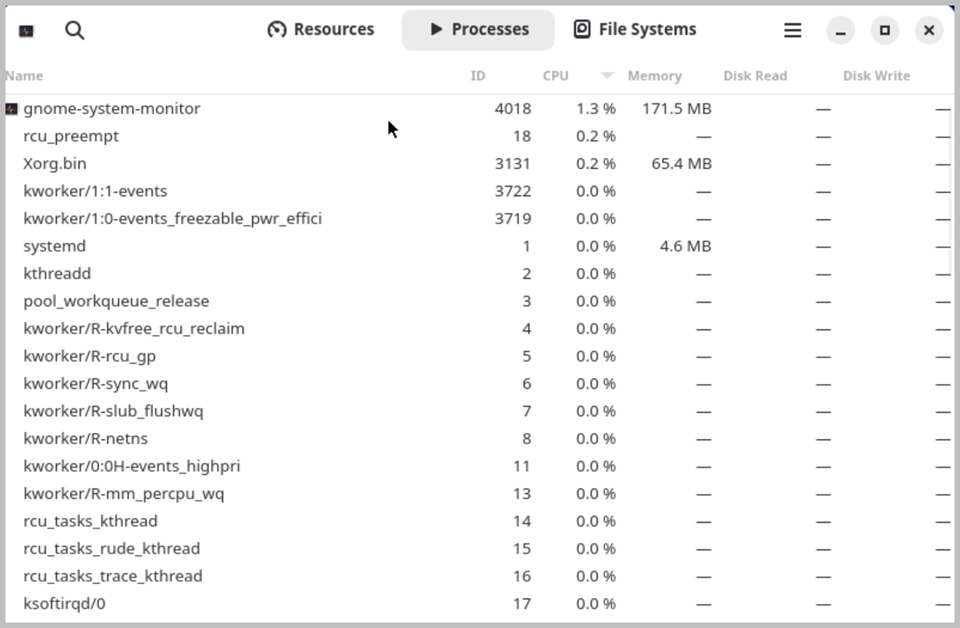
The application is organized into three main tabs, each providing a different perspective on the current state of the system. The Processes tab displays a comprehensive list of all currently running processes, showing key information for each process including its name, process ID, CPU usage percentage, memory consumption, priority level, and the user account under which it is running. Processes can be sorted by any of these columns to quickly identify the most resource-intensive tasks. From this tab you can also interact directly with individual processes — selecting a process and using the right-click context menu allows you to change its priority level, send a signal, or forcefully terminate an unresponsive or unwanted process that may be consuming excessive resources or interfering with other operations.
The Resources tab provides a set of continuously updated graphical charts that display the real-time usage of key system resources over time. The CPU history chart shows the processing load on each available processor core, allowing you to monitor how demanding current operations are and identify periods of peak activity. The memory and swap usage chart displays the current consumption of physical RAM and swap space, which is particularly important within the Active@ LiveCD environment where available memory may be limited and excessive swap usage can significantly slow down disk operations. The network history chart displays incoming and outgoing network traffic, useful for monitoring download progress when updating virus definitions or downloading software packages.
The File Systems tab provides an overview of all currently mounted file systems and storage devices, displaying key information such as the device name, mount point, file system type, total capacity, used space, available free space, and usage percentage for each mounted volume. This tab provides a convenient at-a-glance summary of storage availability across all connected drives and partitions, complementing the more detailed disk analysis tools available elsewhere in the Active@ LiveCD toolkit. When running Active@ LiveCD from a USB drive, all GNOME System Monitor preferences are preserved between sessions.