YaST Date and Time
YaST Date and Time is a straightforward and easy-to-use system configuration tool included as part of the YaST (Yet another Setup Tool) administration suite developed by SUSE. Within the Active@ LiveCD environment, it provides a simple and reliable way to configure the system clock, set the correct date and time, and manage time zone settings, ensuring that all time-sensitive operations performed during the session are accurately timestamped and recorded.
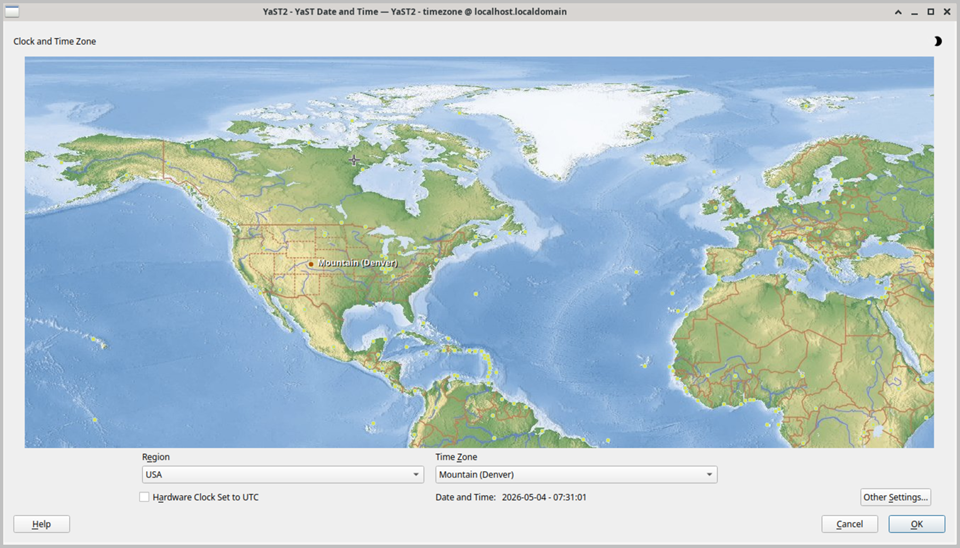
The main interface is divided into two primary configuration areas. The first allows you to set the current date and time manually by entering the correct values directly into the provided fields, or by using the built-in calendar and time picker controls for a more intuitive input method. The second area allows you to select the correct time zone for your location from a comprehensive list of world time zones organized by geographic region and city. A world map is displayed at the top of the window, with the currently selected time zone highlighted, providing a clear visual confirmation that the correct region has been chosen.
Correct time zone configuration is particularly important within the Active@ LiveCD environment, as many disk operations and file system activities rely on accurate timestamps. File creation and modification times, backup archive metadata, event log entries, and certificate validity periods are all dependent on the system clock being set correctly. Verifying and setting the correct time zone is therefore strongly recommended as one of the first steps to perform after booting into Active@ LiveCD, before undertaking any significant disk management or data recovery operations.
YaST Date and Time also supports automatic time synchronization via NTP (Network Time Protocol), allowing the system clock to be kept accurate by synchronizing with internet time servers. When a network connection is available, enabling NTP synchronization is the most reliable way to ensure that the system time is always correct, eliminating the need for manual time adjustment. The NTP configuration can be further refined using the dedicated YaST NTP Configurator tool, which provides additional options for selecting specific time servers and configuring synchronization intervals.