Bulk Rename
Bulk Rename is a practical and efficient file renaming utility that allows you to rename large numbers of files and folders simultaneously using a wide range of customizable renaming rules and patterns. Within the Active@ LiveCD environment, it serves as a valuable tool for organizing and standardizing file naming conventions when working with recovered data, disk images, backup archives, or any other collection of files that requires systematic renaming before further processing or storage.
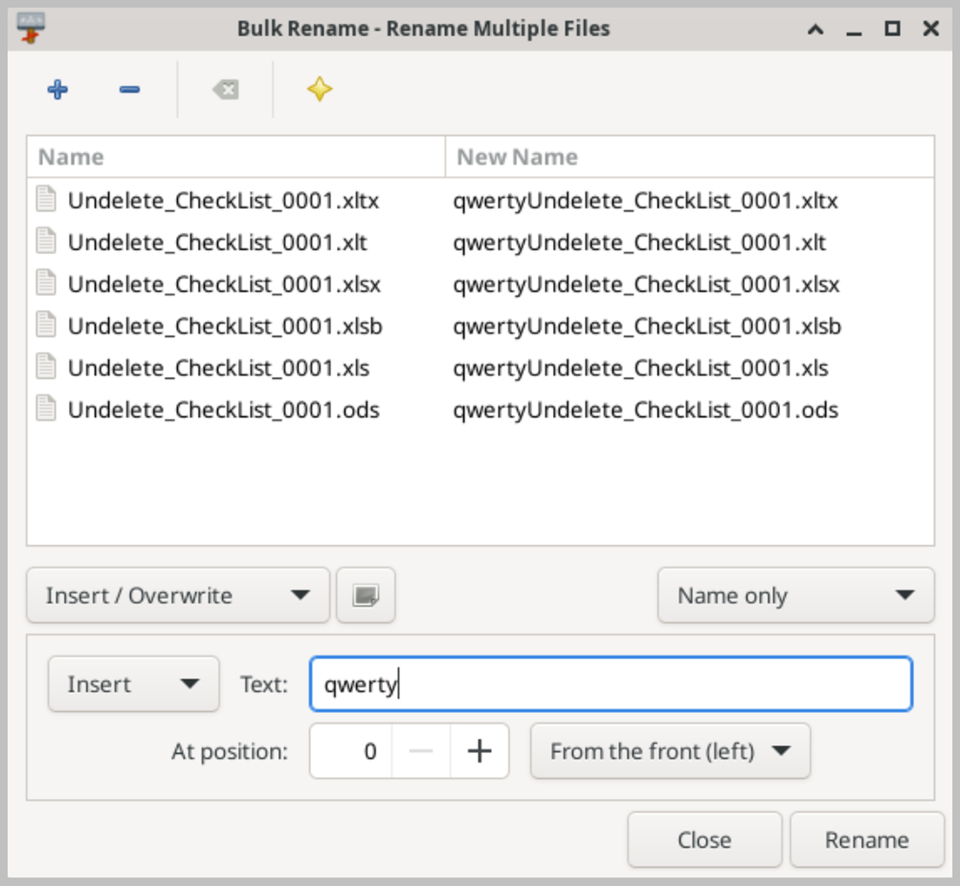
The application provides a clean and well-organized interface that displays a list of selected files alongside a real-time preview of the new file names that will be applied based on the current renaming rules. This live preview is one of the most useful features of Bulk Rename, as it allows you to verify exactly how the renaming rules will affect each file before any changes are committed, eliminating the risk of accidentally applying incorrect or unintended name changes to important files.
Bulk Rename supports a comprehensive set of renaming options that can be combined and applied simultaneously to achieve precise and flexible results. You can add, remove, or replace text strings within file names, insert sequential numbers or letters at any position within the name, change the letter case of the entire file name or specific parts of it, add or remove file extensions, insert date and time stamps based on the file creation or modification date, and trim characters from the beginning or end of file names. These options cover virtually any file renaming scenario you are likely to encounter during data recovery or file organization tasks.
The utility supports processing files located in multiple folders simultaneously, and can optionally include subfolders in the renaming operation for a complete and thorough batch rename across an entire directory structure. Completed renaming operations can be undone if needed, providing an additional safety net in case the applied rules produce unexpected results. When running Active@ LiveCD from a USB drive, all Bulk Rename preferences and saved renaming profiles are preserved between sessions.