Active@ Disk Editor
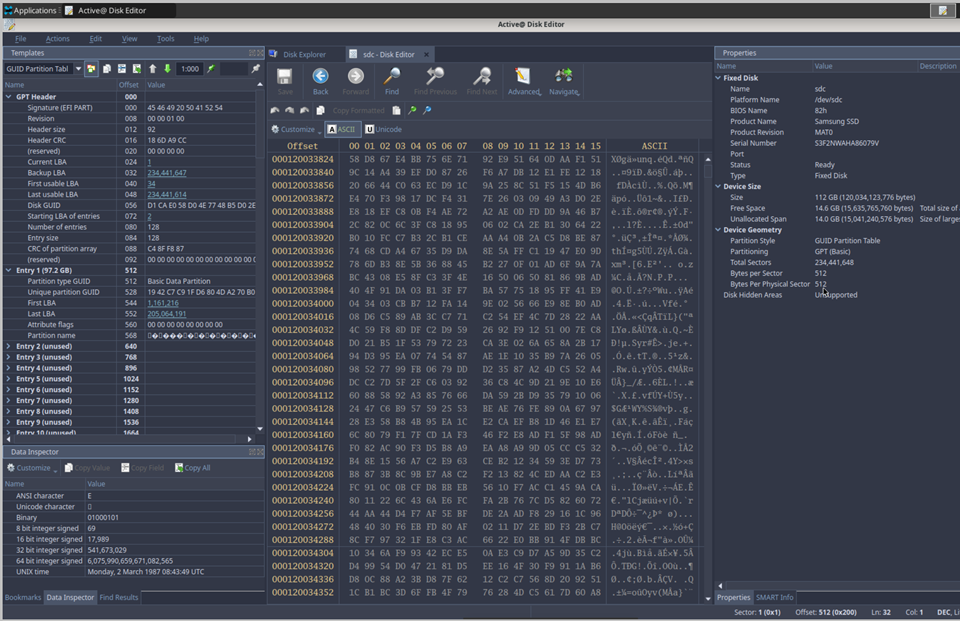
Active@ Disk Editor is a utility designed to help you view and edit raw disk sector data. The editor displays information simultaneously in both binary and text modes, allowing you to analyze the contents of data storage structure elements such as hard disks and partitions.
The Open Disk dialog box displays a list of available storage devices and logical drives.
The Data Inspector displays the data currently under the cursor in ten different formats, helping you interpret data as shown in the Hexadecimal View. When the Data Inspector is enabled, it appears docked in the left panel of the Active@ Disk Editor workspace.
A destructive virus may damage the MBR (Master Boot Record), making it impossible to start the computer from the hard disk. When the computer starts, the code in the MBR executes before the operating system loads. If the MBR is corrupted, the operating system cannot start. The MBR is always located at track 0, head 0, sector 1. Active@ Disk Editor can be used to inspect and repair a damaged MBR.
This section covers the following topics: