Remmina Remote Desktop Client
Remmina is a powerful and versatile remote desktop client that allows you to connect to and manage remote computers and servers from within the Active@ LiveCD environment. It provides support for multiple remote access protocols within a single unified interface, making it a flexible and indispensable tool for system administrators, IT professionals, and advanced users who need to access and control remote systems without being physically present at the machine.
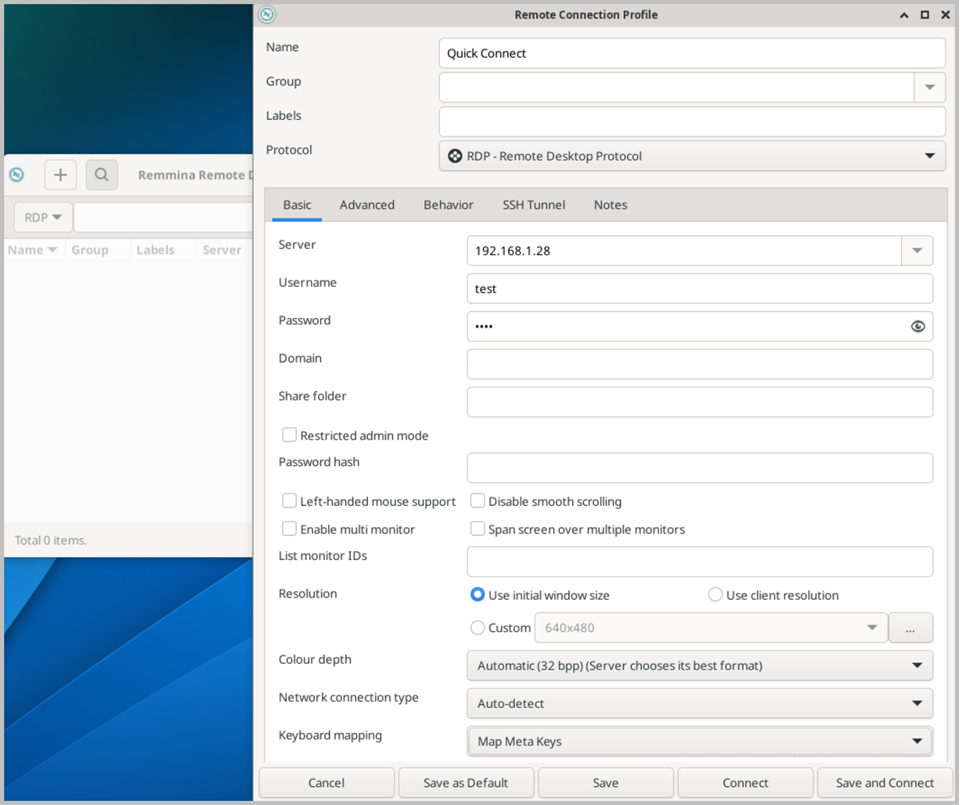
Remmina supports a wide range of industry-standard remote access protocols, including RDP (Remote Desktop Protocol) for connecting to Windows-based systems, SSH (Secure Shell) for secure command-line access to Linux and Unix servers, VNC (Virtual Network Computing) for platform-independent graphical remote access, and SFTP (SSH File Transfer Protocol) for secure file transfer between local and remote systems. This broad protocol support ensures compatibility with virtually any remote host, regardless of the operating system or network configuration.
The application features a clean and well-organized main window that displays a list of saved connection profiles, allowing you to store and quickly reconnect to frequently accessed remote hosts without re-entering connection details each time. Each connection profile can be fully customized with specific settings such as screen resolution, color depth, keyboard layout, authentication credentials, and protocol-specific options, giving you precise control over every aspect of the remote session.
When connecting via RDP to a Windows host, Remmina provides a full graphical desktop experience, with support for features such as clipboard sharing between the local and remote systems, drive redirection for accessing local files from the remote session, and audio redirection for streaming sound from the remote host. SSH connections open a secure terminal session directly within the Remmina window, allowing you to execute commands and manage remote systems from the command line without the need for a separate terminal emulator.
When running Active@ LiveCD from a USB drive, all Remmina connection profiles and settings are preserved between sessions, ensuring that your remote access configuration is always available and ready to use the next time you launch the system.