Meld
Meld is a powerful and visually intuitive open-source diff and merge tool designed for comparing and synchronizing files, directories, and version-controlled projects. It provides a clear and easy-to-read side-by-side visual representation of differences between files, making it an invaluable tool for developers, system administrators, and advanced users who need to identify, review, and resolve differences between two or more versions of a file or directory structure. Within the Active@ LiveCD environment, Meld is particularly useful for comparing configuration files, scripts, and recovered data against known good versions.
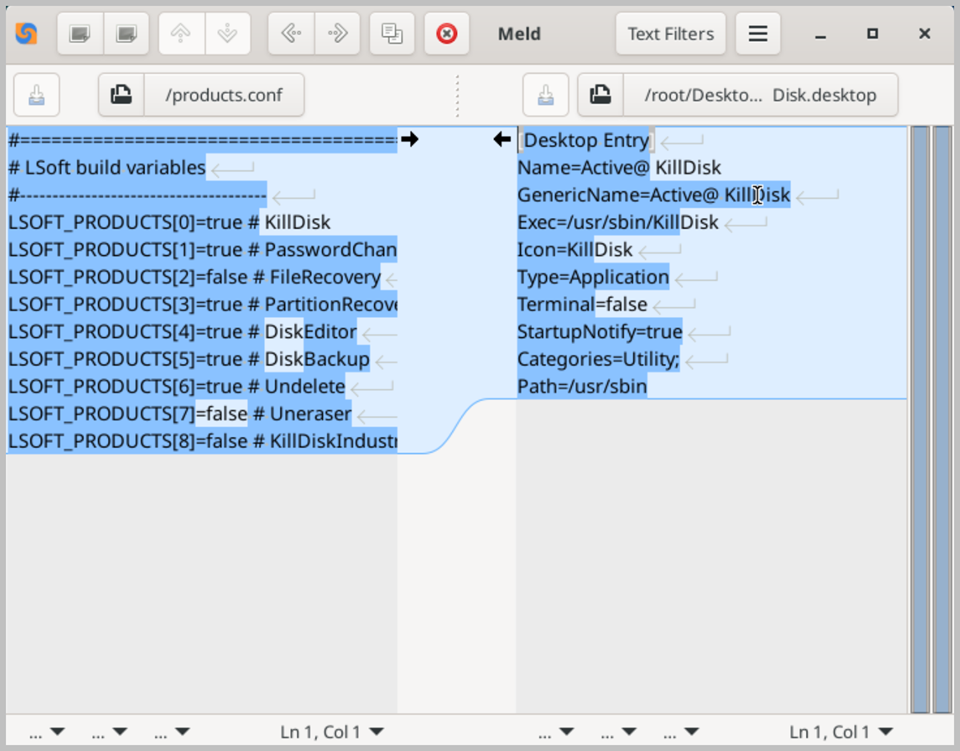
The core functionality of Meld is built around three comparison modes. The first is file comparison, which displays two or three versions of a file side by side, with differences highlighted in color for immediate visual identification. Added, removed, and modified lines are each displayed in a distinct color, making it straightforward to understand exactly what has changed between versions at a glance. Individual changes can be merged selectively from one version to the other using the built-in merge controls, giving you precise control over which changes to accept or discard.
The second mode is directory comparison, which displays the contents of two or three directories side by side, highlighting files that are present in one location but missing in another, as well as files that exist in both locations but differ in content. This makes Meld an effective tool for synchronizing folders, identifying missing files after a recovery operation, or verifying that a backup is complete and consistent with the original source. You can drill down into any pair of differing files directly from the directory comparison view to inspect the specific content differences.
The third mode is version control comparison, which integrates with popular version control systems such as Git, Subversion, Mercurial, and Bazaar. This mode displays the differences between the current working copy of a file and its last committed version, making it easy to review pending changes before committing them. While this feature is more relevant in software development workflows, it can also be useful within Active@ LiveCD for inspecting changes to tracked configuration files or system scripts.
Meld supports a range of customization options, including configurable syntax highlighting for a wide variety of programming and scripting languages, adjustable font and color settings, and options for filtering out whitespace differences and ignored file patterns in directory comparisons. The clean and well-organized interface keeps all essential controls easily accessible, allowing you to focus on the content being compared rather than navigating complex menus. When running Active@ LiveCD from a USB drive, all Meld preferences and recently compared file paths are preserved between sessions.