Thunar File Manager
Thunar is a fast, lightweight, and easy-to-use file manager developed for the Xfce desktop environment. It provides a clean and intuitive graphical interface for managing files and folders on local drives, removable media, and network-attached storage devices.
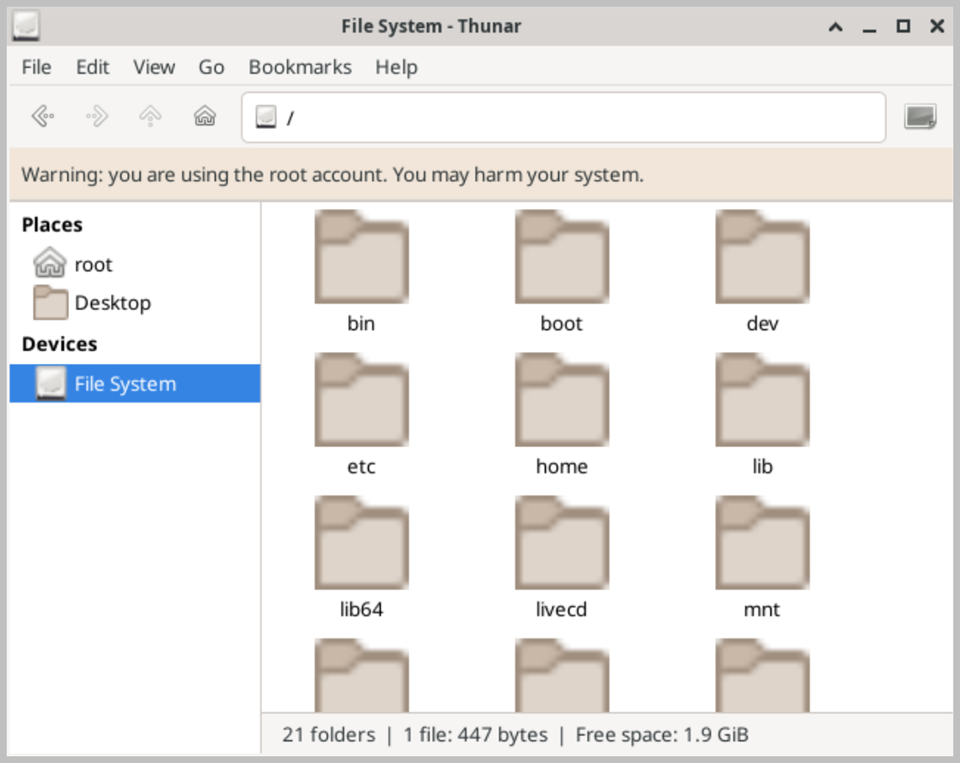
The main window is divided into two panels: a left side panel displaying the folder tree and bookmarks for quick navigation, and a right panel displaying the contents of the currently selected folder. Files and folders can be displayed in icon view, compact view, or detailed list view, depending on your preference.
Thunar supports all standard file management operations, including copying, moving, renaming, and deleting files and folders. It also supports drag-and-drop operations, making it easy to organize files across different locations. The built-in search functionality allows you to quickly locate files by name within the current directory or across the entire file system.
One of Thunar's most useful features is its support for custom actions, which allow you to add context menu entries for frequently performed operations, such as opening a terminal in the current folder, or running a script on a selected file. Thunar also integrates seamlessly with removable devices such as USB drives and memory cards, automatically detecting and mounting them when connected.
When running Active@ LiveCD from a USB drive, all Thunar preferences and bookmarks are preserved between sessions, ensuring a consistent and personalized working environment each time you launch the system.