Engrampa Archive Manager
Engrampa is a lightweight and easy-to-use graphical archive manager designed for the MATE desktop environment. It provides a clean and intuitive interface for creating, opening, extracting, and managing compressed archive files in a wide variety of formats. Within the Active@ LiveCD environment, Engrampa serves as the primary tool for working with compressed files and archives, making it straightforward to package files for storage or transfer, and to extract the contents of downloaded archives without the need for command-line tools.
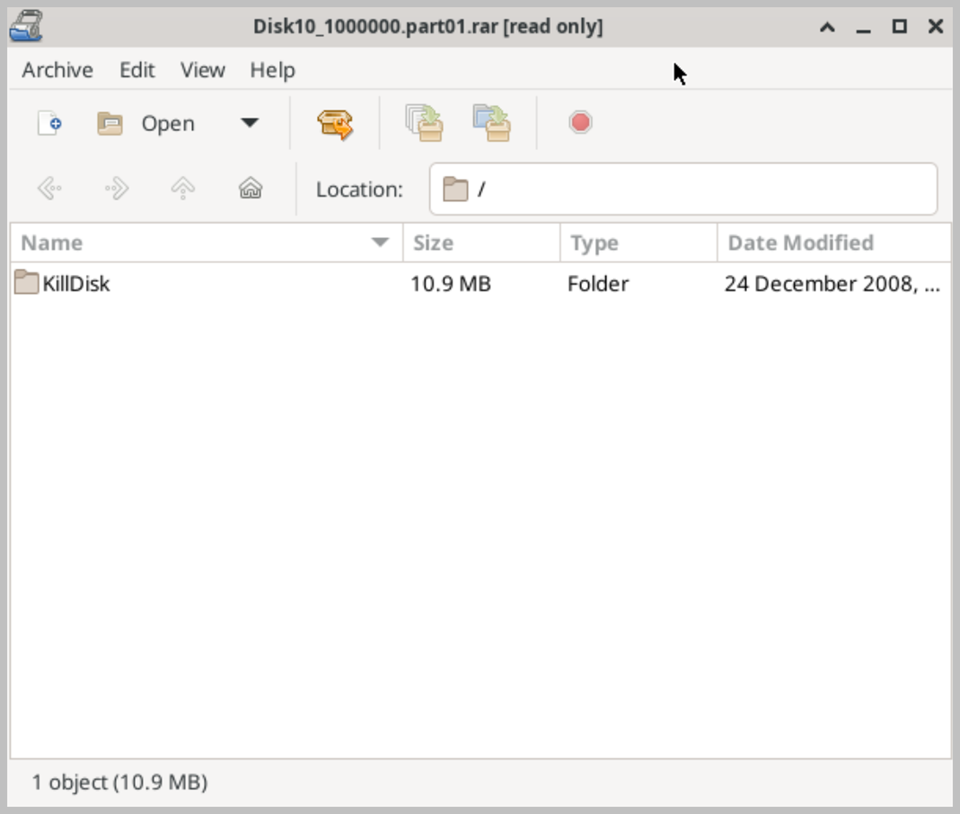
Engrampa supports a comprehensive range of archive formats, including ZIP, TAR, GZ, GZIP, BZ2, BZIP2, XZ, 7Z, RAR, CAB, and RPM packages, among others. This broad format compatibility ensures that you can work with virtually any compressed file you are likely to encounter, regardless of the platform or tool used to create it. Both reading and writing are supported for most common formats, with read-only support available for formats such as RAR that have licensing restrictions on creation.
The main interface displays the contents of an open archive in a familiar file manager style, showing file names, sizes, compression ratios, and modification dates for each item within the archive. You can browse through folders within the archive just as you would in a regular file manager, making it easy to locate specific files within large or complex archive structures. Individual files or entire folders can be extracted to a location of your choice with a single click, without the need to extract the entire archive contents.
Creating new archives with Engrampa is equally straightforward. Files and folders can be added to a new or existing archive by dragging and dropping them directly into the Engrampa window, or by using the standard file selection dialog. When creating a new archive, you can choose the desired format and compression level to balance file size against compression speed, depending on your specific requirements. Password protection is available for ZIP and 7Z archives, allowing you to encrypt the contents and restrict access to authorized users only.
Engrampa integrates seamlessly with the Thunar file manager through a context menu extension, allowing you to create or extract archives directly from the right-click context menu without opening the Engrampa application separately. This tight integration makes working with compressed files fast and convenient as part of your everyday file management workflow. When running Active@ LiveCD from a USB drive, all Engrampa preferences are preserved between sessions.