YaST Network
YaST Network is a comprehensive and powerful network configuration tool included as part of the YaST (Yet another Setup Tool) administration suite developed by SUSE. Within the Active@ LiveCD environment, it serves as the primary tool for configuring and managing all aspects of network connectivity, ensuring that the system can communicate with local network resources, remote servers, and the internet as required for downloading software packages, updating virus definitions, transferring recovered data to network locations, or connecting to remote systems for administration purposes.
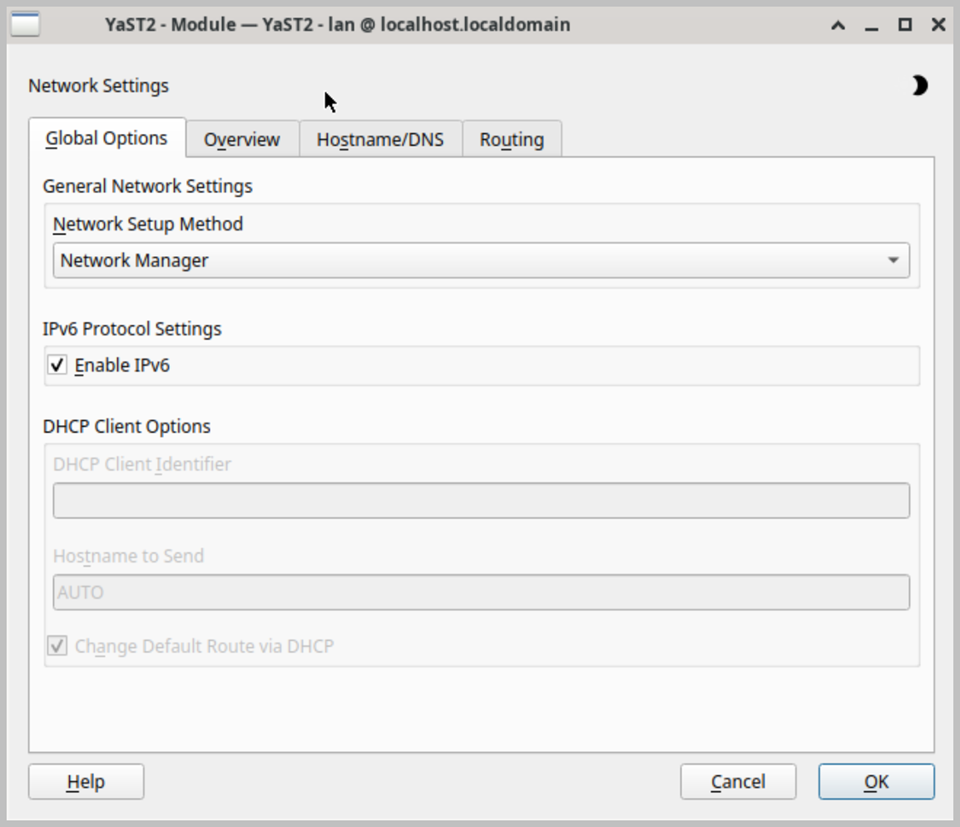
The main interface is organized into several tabs, each covering a different aspect of network configuration. The Overview tab displays a list of all detected network interfaces, including wired Ethernet adapters, wireless network adapters, and any virtual or loopback interfaces present on the system. Each interface is shown with its current status, assigned IP address, and connection type, providing an immediate summary of the current network configuration. From this tab you can add new network interfaces, edit the settings of existing ones, or remove interfaces that are no longer required.
Network interfaces can be configured with either dynamic IP addressing using DHCP, which automatically obtains an IP address, subnet mask, default gateway, and DNS server addresses from the local network's DHCP server, or with a static IP address configuration where all network parameters are entered manually. Static IP configuration is particularly useful in environments where a fixed and predictable IP address is required, such as when connecting to a server or network resource that only accepts connections from specific known addresses. Both IPv4 and IPv6 addressing are fully supported.
The Hostname and DNS tab allows you to configure the system hostname and domain name, as well as specify the addresses of primary and secondary DNS servers for domain name resolution. Correct DNS configuration is essential for reliable internet connectivity and for accessing network resources by name rather than by IP address. The Routing tab provides tools for viewing and modifying the system routing table, allowing you to define default gateways and add static routes for specific network destinations, which is useful in environments with complex network topologies or multiple network interfaces.
YaST Network also provides support for a range of advanced network configuration options, including the configuration of network bonding and bridging for combining or sharing multiple network interfaces, VLAN tagging for segmenting network traffic, and proxy server settings for routing internet traffic through an intermediary server. These advanced features make YaST Network suitable not only for basic connectivity configuration but also for more complex networking scenarios that may arise in enterprise or server environments. All network configuration changes take effect immediately upon confirmation, without requiring a system restart.