Midnight Commander
Midnight Commander (MC) is a powerful, feature-rich, dual-panel file manager that operates in a text-based terminal environment. Despite its console-based interface, it provides a highly visual and intuitive way to manage files and directories, making it a popular choice among system administrators and advanced users who prefer working from the command line.
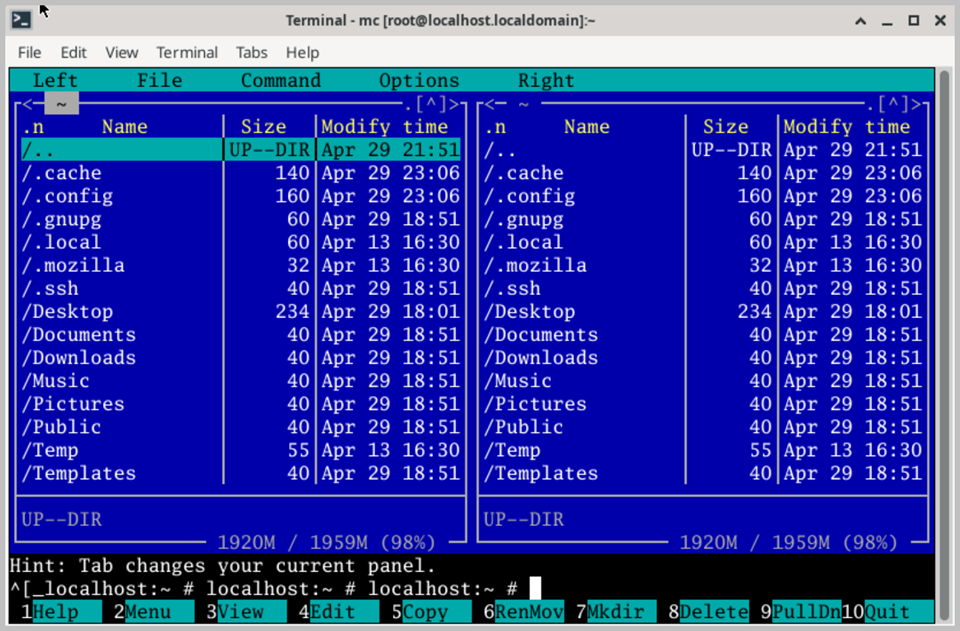
The main interface consists of two side-by-side panels, each displaying the contents of a different directory. This dual-panel layout makes it extremely convenient to copy, move, and compare files between two locations without the need to navigate back and forth. The active panel is highlighted, and you can switch between panels with a single key press.
Midnight Commander supports all standard file management operations, including copying, moving, renaming, deleting, and creating files and folders. It also provides built-in support for working with compressed archives such as TAR, GZ, ZIP, and BZ2, allowing you to browse and extract archive contents directly without unpacking them first.
A powerful built-in file viewer allows you to inspect the contents of text and binary files without opening a separate application. The integrated text editor provides basic editing capabilities for quick modifications to configuration files and scripts directly within the file manager interface.
Midnight Commander also includes a built-in FTP and SFTP client, allowing you to connect to and manage files on remote servers as easily as working with local directories. Advanced search capabilities enable you to locate files by name, content, or attributes across the entire file system.
Its keyboard-driven interface makes it particularly efficient for users who prefer to keep their hands on the keyboard, with comprehensive hotkey support for virtually every operation available in the application.